Comprendre le MKS SERVO42D: Pourquoi il bat les pilotes pas à pas standard
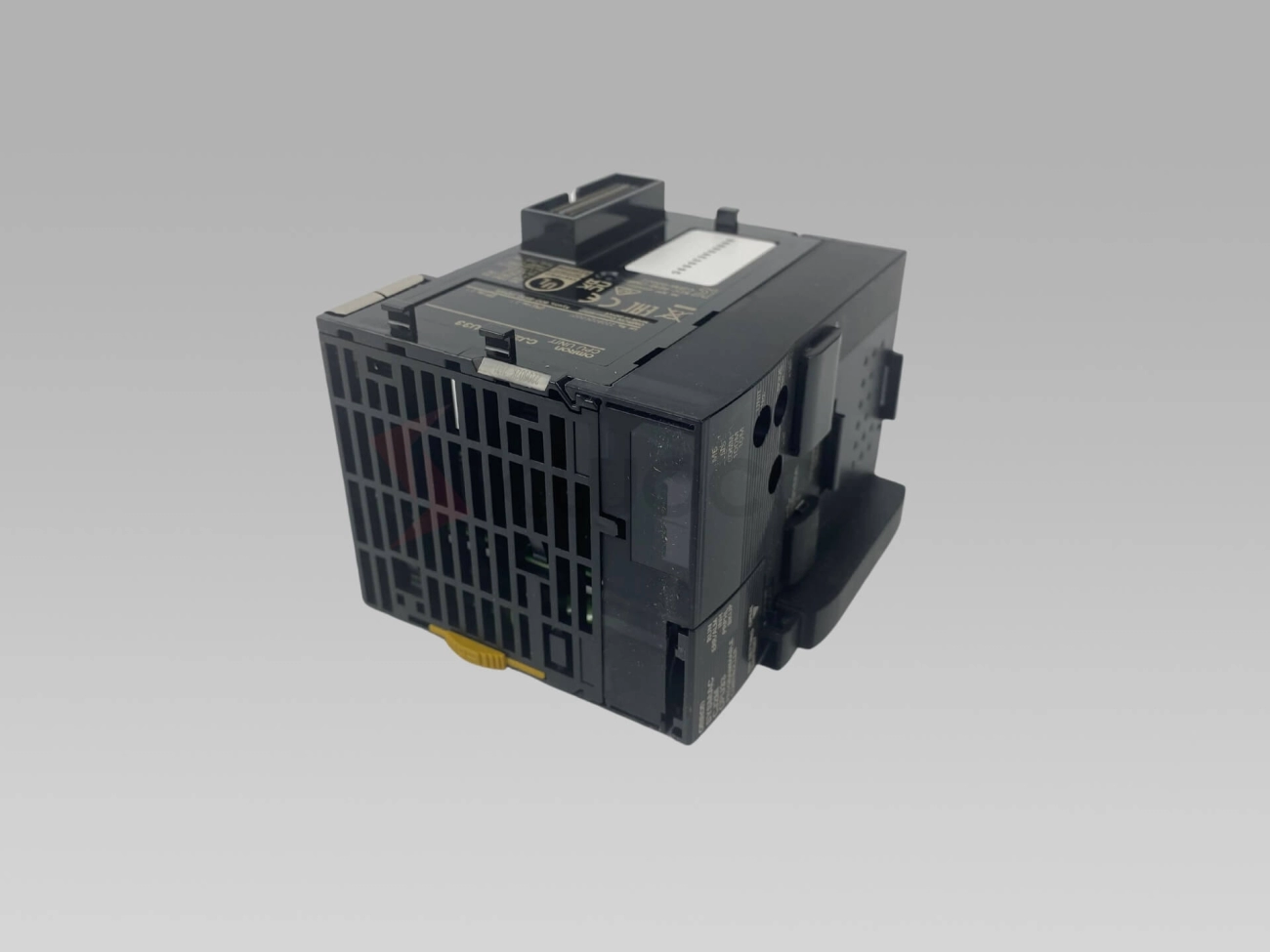
Si vous mettez à niveau votre NEMA 17 configuration du moteur, le MKSSERVO42D le contrôleur de servomoteur change la donne et mérite d'être connu. Contrairement aux pilotes pas à pas typiques en boucle ouverte, c'est un système en boucle fermée ça apporte de la précision, fonctionnement silencieux, et fiabilité à votre imprimante 3D ou machine CNC.
Fonctionnalités de base et spécifications techniques
- Rétroaction en boucle fermée via un encodeur pour zéro pas manqué.
- Prend en charge jusqu'à 4.2Un courant continu, beaucoup pour la plupart des NEMA 17 moteurs.
- Compatible avec FOC (Contrôle orienté champ) algorithmes pour une livraison fluide du couple.
- Les options de communication incluent Mode impulsion/direction, RS485, et même Bus CAN contrôle.
- Conception compacte avec dissipateur thermique intégré pour une gestion thermique stable.
- Prise en charge de la résolution de l'encodeur jusqu'à 8192 impulsions par tour (PPR).
Compatibilité avec NEMA 17 Moteurs et micrologiciels
Ce pilote est conçu sur mesure pour IL N'Y A PAS 17 moteurs, surtout ceux équipés d'encodeurs, offrant une mise à niveau substantielle par rapport aux pilotes pas à pas de base. Il fonctionne bien avec les firmwares populaires comme Roches et Marlin, qui prennent désormais tous deux en charge les configurations en boucle fermée et vous permettent de basculer facilement entre boucle ouverte et en boucle fermée Modes.
Avantages et inconvénients par rapport aux pilotes typiques
Avantages:
- Élimine le saut d'étape, conduisant à meilleure qualité d'impression et fonctionnement silencieux.
- Offre des ajustements de couple et de vitesse en temps réel pour un mouvement plus fluide.
- Réduit considérablement l’échauffement du moteur grâce à une utilisation efficace du courant.
- Prend en charge plusieurs interfaces de contrôle, flexibilité croissante.
Inconvénients:
- Légèrement plus complexe à câbler et à configurer par rapport aux pilotes pas à pas plug-and-play.
- Nécessite l'installation d'un encodeur et un alignement approprié.
- Coûte généralement plus cher au départ, mais les bénéfices justifient souvent l'investissement.
Quand utiliser les modes boucle fermée ou boucle ouverte
Le mode en boucle fermée est votre choix lorsque vous souhaitez éviter pertes de pas lors d'impressions à grande vitesse ou à couple intensif. C'est idéal pour applications de précision et réduire le bruit de l'imprimante. Le mode en boucle ouverte est plus simple et peut éviter certains problèmes de configuration si votre projet a des besoins modestes en matière de vitesse et de couple., mais vous sacrifierez certaines performances.
Dans , le MKS SERVO42D intensifie votre jeu de contrôle moteur en offrant fiabilité en boucle fermée et des fonctionnalités avancées que les pilotes standard ne peuvent tout simplement pas égaler, surtout lorsqu'ils sont associés à un micrologiciel populaire et à un bon NEMA 17 servomoteur. Prêt à plonger dans l'installation? Passons ensuite à la pratique!
Préparation: Outils, Matériels, et les essentiels de sécurité
Avant d'installer le contrôleur de servomoteur MKS SERVO42D sur votre NEMA 17 moteur, rassembler les bons outils et matériaux est essentiel. Voici ce dont vous aurez besoin:
Nomenclature
- Contrôleur de pilote MKS SERVO42D
- IL N'Y A PAS 17 moteur pas à pas en boucle fermée compatible avec les encodeurs
- Aimant d'encodeur et accessoires de montage
- Alimentation électrique adaptée aux exigences de votre moteur et de votre pilote (généralement 12-24 V)
- Câbles blindés pour câblage moteur et codeur
- Câbles d'interface de contrôle (par ex., RS485, Bus CAN, ou fils de pas/direction)
- Connecteurs et bornes compatibles avec votre matériel
Outils essentiels
- Pinces à dénuder et coupe-fils
- Petits tournevis cruciformes et à tête plate
- Multimètre pour tests de tension et de continuité
- Fer à souder (facultatif, si les câbles ont besoin de connecteurs personnalisés)
- Gaine thermorétractable ou ruban électrique pour l'isolation
- Dragonne statique ou tapis ESD pour protéger les appareils électroniques
Conseils de sécurité
- Éteignez toujours votre équipement avant de procéder au câblage ou à effectuer des réglages..
- Utilisez un bracelet antistatique ou travaillez sur un tapis antistatique pour éviter d'endommager les composants électroniques sensibles du pilote..
- Vérifiez à nouveau la polarité de l'alimentation avant de la connecter : une polarité inversée peut immédiatement faire frire le pilote..
- Gardez le câblage propre et sécurisé pour éviter les courts-circuits ou les déconnexions accidentelles pendant le fonctionnement.
Préparation du micrologiciel et présentation de MODBUS-RTU
Avant la mise sous tension, assurez-vous que votre micrologiciel prend en charge le contrôle pas à pas en boucle fermée et qu'il est configuré pour le MKS SERVO42D. Un firmware comme Klipper ou Marlin peut être configuré pour ce pilote, utilisant souvent des commandes MODBUS-RTU pour communiquer des paramètres tels que le réglage PID et les limites de courant via RS485 ou le bus CAN.
Prendre le temps de préparer ces essentiels garantit un déroulement fluide, installation sécurisée avec moins de dépannages ultérieurs. Pour une plongée plus approfondie dans les modules PLC compatibles et les protocoles de communication utilisés dans des configurations comme celle-ci, vous pouvez explorer les modules PLC Siemens associés qui partagent des normes de communication similaires à MODBUS-RTU.
Installation physique étape par étape
Installation du MKS SERVO42D sur votre NEMA 17 le moteur est simple mais nécessite de la précision pour les meilleures performances.
Montage du SERVO42D sur le NEMA 17 Base
- Alignez le pilote sur la base du moteur en utilisant les trous de montage sur la carte SERVO42D et les trous correspondants sur votre NEMA 17 moteur.
- Utilisez des vis appropriées (généralement M3 ou M4) pour fixer fermement le pilote, mais évitez de trop serrer pour éviter tout dommage..
- Assurez-vous que les connecteurs du pilote sont orientés vers l'extérieur pour un accès facile au câblage..
Fixation et alignement de l'aimant de l'encodeur
L'aimant de l'encodeur est la clé du retour en boucle fermée:
- Fixez soigneusement l'aimant à l'arbre du moteur, généralement sur la partie plate ou à l'endroit désigné sur le NEMA 17 arbre.
- Alignez-le de manière à ce que le capteur de l'encodeur du SERVO42D lit les passages de l'aimant en douceur et sans oscillation..
- Utilisez un petit espace (généralement 1-2 mm) entre l'aimant et le capteur pour des lectures optimales.
- Faites tourner l'arbre à la main après le montage pour vérifier la stabilité des signaux du codeur..
Conseils de gestion de la chaleur pour un fonctionnement stable
Les servomoteurs génèrent de la chaleur pendant l'utilisation, donc gérer cela est important:
- Montez le SERVO42D là où il y a une bonne circulation d'air ou ajoutez un petit dissipateur thermique si nécessaire.
- Évitez d'enfermer le conducteur dans des endroits serrés, espaces non ventilés.
- Pour les longs trajets ou les charges élevées, considérez le refroidissement actif comme un ventilateur.
- Surveiller la température pendant les tests initiaux pour éviter la surchauffe, ce qui peut provoquer des arrêts ou réduire les performances.
Suivre ces étapes garantit que votre MKS SERVO42D et NEMA 17 le moteur fonctionne de manière fiable et prépare la configuration pour un câblage et un réglage fluides à l'avance. Pour des options de câblage détaillées et la configuration de l'interface, vérifier les informations sur le produit sur Servomoteurs MKS et configurations de moteur compatibles.
Guide de câblage: Des connexions qui ne feront pas frire votre configuration
Un câblage approprié est essentiel pour que votre MKS SERVO42D fonctionne correctement avec votre NEMA. 17 moteur sans rien endommager. Voici ce que vous devez savoir:
Câblage d’alimentation et vérifications de polarité
- Utilisez la bonne tension recommandé par les spécifications SERVO42D pour éviter de faire frire le pilote.
- Vérifiez à nouveau positif (+) et négatif (−) bornes avant la mise sous tension : une polarité inversée est un moyen rapide de ruiner le matériel.
- Connectez toujours l'alimentation avec le pilote du moteur éteint pour la sécurité.
Câblage du moteur et du codeur avec schémas à code couleur
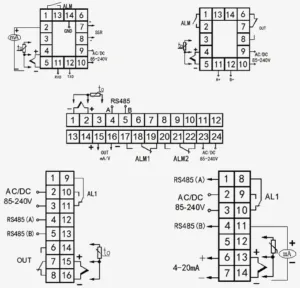
- Connectez le IL N'Y A PAS 17 phases du moteur au chauffeur en suivant les codes couleurs: typiquement, Les fils A+/A− et B+/B− correspondent aux phases du moteur – reportez-vous à la fiche technique de votre moteur..
- Attachez le fils d'encodeur soigneusement; la plupart des encodeurs ont au moins la puissance (VCC), sol, et deux lignes de signal (Canaux A et B).
- Utilisez le schéma de câblage du SERVO42D pour connaître le brochage exact : vous pouvez trouver des guides détaillés en ligne ou avec le manuel du produit..
Options de l'interface de contrôle: Mode impulsion, RS485, CAN-Bus
- Le SERVO42D prend en charge plusieurs modes de contrôle:
- Mode impulsion utilise le pouls, direction, et activez les broches - idéal pour les configurations de base ou la mise à niveau des commandes pas à pas existantes.
- RS485 l'interface permet la communication MODBUS-RTU pour un réglage et une surveillance avancés.
- Bus CAN permet la synchronisation de plusieurs pilotes et est idéal pour les machines évolutives ou complexes.
- Choisissez l'interface qui correspond le mieux aux capacités de votre micrologiciel et de votre carte de contrôle.
Pièges courants en matière de câblage et comment les éviter
- Ne mélangez pas les phases du moteur ou les signaux de l'encodeur : des connexions incorrectes entraînent de mauvaises performances ou l'absence de mouvement du tout..
- Évitez longtemps, câbles non blindés pour les signaux du codeur afin de réduire le bruit électrique.
- Fixez fermement tous les connecteurs pour éviter les contacts desserrés pendant le fonctionnement.
- Testez toujours les connexions avec un multimètre avant d’alimenter votre système.
Prendre ces étapes de câblage au sérieux vous évitera des maux de tête et conservera votre NEMA 17 la mise à niveau du servo fonctionne de manière fiable. Pour une plongée plus approfondie dans les commandes de servomoteurs et les configurations de joystick, consulter les recommandations détaillées sur l’utilisation des servomoteurs chez CNC Domi recommandations pour le choix et l'utilisation des servomoteurs et des joysticks.
Configuration et réglage du logiciel
Une fois votre MKS SERVO42D physiquement installé et câblé correctement, il est temps de configurer le logiciel pour des performances optimales.
Vérifications à la mise sous tension et état des voyants
Lorsque vous allumez le SERVO42D, faites très attention aux indicateurs LED. Chaque modèle signale des statuts différents:
- Vert uni signifie généralement un fonctionnement normal.
- Rouge ou orange clignotant indique des erreurs telles que des problèmes de câblage ou des calages du moteur.
- Pas de lumière signifie souvent des problèmes d'alimentation ou de connexion.
Consultez le manuel de votre appareil pour les codes exacts, mais ces signaux LED vous aideront rapidement à résoudre les problèmes de base.
Réglage des paramètres: Micropas, Actuel, et valeurs PID
Le réglage fin des paramètres est crucial:
- Micropas: Ajustez-le pour obtenir un mouvement fluide du moteur adapté à votre NEMA. 17 moteur. Plus de micropas signifie plus de silence, mouvement de précision mais peut réduire la vitesse maximale.
- Paramètres actuels: Réglez le courant du moteur en fonction de votre NEMA 17 spécifications : risques de surchauffe trop élevés, trop faible entraîne des pas manqués même en boucle fermée.
- Réglage PID: PID contrôle la précision de la boucle d'asservissement. Commencez avec les valeurs par défaut et ajustez en fonction des exigences de couple et de vitesse, spécialement pour les applications de gravure CNC ou d'imprimante 3D.
Flashage du firmware et intégration avec Klipper ou Marlin
Le MKS SERVO42D prend en charge les micrologiciels open source populaires comme Klipper et Marlin, rendre l'intégration simple:
- Téléchargez la dernière version du firmware compatible avec SERVO42D.
- Suivez les procédures de clignotement via USB ou UART, en utilisant les commandes MODBUS RTU fournies ou les outils de téléchargement de micrologiciels.
- Mettre à jour les fichiers de configuration pour activer le mode en boucle fermée, définir des micropas, et ajuster les protocoles de communication (Bus RS485 ou CAN).
Cela améliore la prévention des pertes de pas de votre imprimante ou de votre CNC et la précision globale des mouvements tout en offrant un fonctionnement silencieux du moteur pas à pas..
Commutation entre les modes en boucle ouverte et en boucle fermée
Le SERVO42D peut fonctionner dans les deux modes selon vos besoins:
- Boucle ouverte: Semblable aux pilotes pas à pas traditionnels, plus simple mais sans feedback, adapté aux configurations de base.
- Boucle fermée: Utilise le retour de l'encodeur pour la correction de position, minimiser les étapes manquées et améliorer la qualité d’impression.
Les modes de commutation impliquent généralement les paramètres du micrologiciel et parfois des cavaliers matériels ou des commutateurs DIP sur la carte pilote.. Le mode en boucle fermée est préféré pour les mises à niveau vers NEMA silencieux 17 moteurs et commande de broche CNC robuste.
Avec le bon réglage et la bonne configuration du micrologiciel, votre MKS SERVO42D maximisera votre NEMA 17 l’efficacité et la fiabilité du moteur, rendant votre impression 3D ou votre travail CNC plus fluide et plus précis.
Pour des contrôles de qualité professionnelle et des applications industrielles plus larges, envisagez d'explorer des lecteurs comme le Module de sortie numérique Siemens SIMATIC S7-1200, qui offrent des options d'automatisation améliorées.
Tests et étalonnage: Vérifiez votre installation
Une fois votre MKS SERVO42D physiquement installé et câblé, il est crucial de tester et de calibrer pour s’assurer que tout se passe bien.
- Tests de base du joystick et du code G: Commencez par déplacer manuellement le moteur à l’aide d’un joystick ou de simples commandes G-code. Cela permet de vérifier que le câblage et la communication du micrologiciel sont solides. Surveillez la douceur, mouvement du moteur réactif sans gigue ni arrêts inattendus.
- Étalonnage avancé du couple et de la vitesse: Ajustez le moteur en ajustant des paramètres tels que les limites de courant et les valeurs PID.. Cela optimise la délivrance du couple et le contrôle de la vitesse, résoudre les problèmes courants tels que la surchauffe ou les étapes manquées. L'utilisation des LED de diagnostic intégrées et des outils de retour d'informations de votre micrologiciel peut faciliter ce processus..
- Synchronisation multi-pilotes sur bus CAN: Si vous exécutez plusieurs pilotes MKS SERVO42D sur un réseau de bus CAN, vérifiez attentivement leur synchronisation. Une synchronisation appropriée réduit la perte de pas et les incohérences de couple, ce qui est essentiel pour les configurations multi-axes comme les imprimantes 3D ou les machines CNC.
- Analyse comparative de la qualité d'impression ou de découpe: Après calibrage, effectuer des tests réels comme l'impression 3D d'un modèle complexe ou l'exécution d'une découpe CNC. Comparez les résultats avec les configurations précédentes avec des pilotes pas à pas standard. Vous remarquerez souvent moins de bruit, mouvement plus fluide, et une précision améliorée, grâce au contrôle en boucle fermée et aux capacités de réglage avancées du SERVO42D.
Cette étape garantit que votre NEMA 17 La mise à niveau du moteur fonctionne non seulement mais donne le meilleur de lui-même, minimiser les surprises pendant le fonctionnement. Pour un réglage détaillé des commandes MODBUS-RTU et des diagnostics en temps réel, consultez les ressources sur le contrôle du moteur PLC pour un dépannage et un étalonnage simplifiés.
Dépannage: Résolvez les problèmes avant qu’ils ne bloquent votre projet
Lorsque vous travaillez avec le servomoteur MKS SERVO42D pour votre NEMA 17 installation, un dépannage rapide peut vous éviter beaucoup de temps d'arrêt. Voici quelques messages d'erreur courants et comment les corriger:
- Le moteur ne répond pas: Vérifiez la polarité du câblage du moteur et confirmez que le câble de l'encodeur est correctement connecté.. Assurez-vous que la tension d'alimentation correspond aux spécifications du pilote.
- Erreur de signal d'encodeur: Réalignez l'aimant de l'encodeur et vérifiez que le câble de l'encodeur n'est pas endommagé ou que des broches sont desserrées..
- Avertissements de surintensité ou de surchauffe: Assurez une bonne dissipation de la chaleur (ajoutez un refroidissement si nécessaire) et vérifiez que les paramètres de courant du moteur dans le micrologiciel ne sont pas trop élevés..
- Défaut de communication (Bus RS485 ou CAN): Vérifier l'ordre de câblage du bus et terminer les résistances. Assurez-vous que les ID de périphérique et les débits en bauds correspondent à votre configuration.
Pour approfondir le diagnostic, utiliser des outils tels que les codes d'état des LED du pilote et les réponses aux commandes MODBUS-RTU. Ces signaux peuvent vous indiquer précisément où se situe le problème, qu'il s'agisse du câblage, micrologiciel, ou problèmes de moteur.
N'hésitez pas à accéder aux forums communautaires pour partager des correctifs sur le MKS SERVO42D ou consulter un support professionnel si les problèmes persistent.. L'aide d'un expert peut souvent accélérer la récupération, en particulier avec des problèmes complexes de réglage du bus CAN ou du PID qui nécessitent des ajustements fins.
Pour un dépannage ou des mises à niveau avancés de qualité industrielle, pensez à explorer options de servoamplificateurs de haute qualité qui prennent en charge des fonctionnalités de diagnostic et de protection robustes adaptées aux applications exigeantes.
Applications avancées et mises à niveau avec Doumi
Le MKS SERVO42D ne sert pas uniquement à mettre à niveau votre NEMA standard 17 moteurs : il est également parfait pour les projets avancés. Par exemple, de nombreux utilisateurs tournent leur Ender 3 dans un endroit beaucoup plus calme, machine plus précise en remplaçant les pilotes pas à pas d'origine par cette solution de servo en boucle fermée. Les résultats? Notamment moins de bruit et aucune étape manquée pendant l'impression.
Au-delà des imprimantes 3D, le SERVO42D fonctionne parfaitement avec les broches CNC et les bras robotiques où un couple précis et un contrôle fluide des mouvements sont essentiels. Si vous évoluez, Doumi prend également en charge les moteurs plus gros comme NEMA 23 et des kits de moteurs de précision spécialisés, offrant la flexibilité nécessaire pour répondre aux besoins de puissance et de précision de votre projet.
Regarder vers l'avenir, les mises à jour du micrologiciel promettent des fonctionnalités intéressantes telles que le réglage basé sur l'IA qui optimisera automatiquement les paramètres PID, ainsi que des modes éco pour réduire la consommation d'énergie sans sacrifier les performances. Pour une utilisation facile, Doumi regroupe ces pilotes dans des kits plug-and-play, simplifiant l'installation et la configuration pour les amateurs et les professionnels.
Si vous souhaitez en savoir plus sur les modules de commande de moteur fiables et les options de pilote avancées, découvrez la gamme de Doumi entraînements à fréquence variable (VFD) qui complètent des configurations sophistiquées comme le SERVO42D.


 par
par